Bookflock is coming soon. Start your shelf now; clubs open at launch.

See what's coming
Bookflock
Coming soonShelves are open now

How a book club actually works on Bookflock.

Pick the book together, keep pace to the meetup, and talk chapter by chapter without spoiling anyone. Here’s every piece, with real screens.

A sample Bookflock club on a phone: the current read, pace to the meetup, and the club chat.
spoiler-safe ✓meetup in 4 days

Available now

Make an account, build your shelf, and browse NYT bestsellers and BookTok trends.

Opens at launch

Clubs, spoiler-safe chat, pace tracking, voting, and meetups. Join the list to hear first.

The short version

A club in three moves

  1. Pick it together

    Pitch books, react, and vote. The club picks, not whoever talks loudest.

  2. Read at your own pace

    Chapter goals and one-tap updates, so everyone lands at the meetup ready.

  3. Meet up and argue

    Spoiler-safe chat until then, questions worth asking when you’re there.

01Your clubOpens at launch

Start a club, or find your people

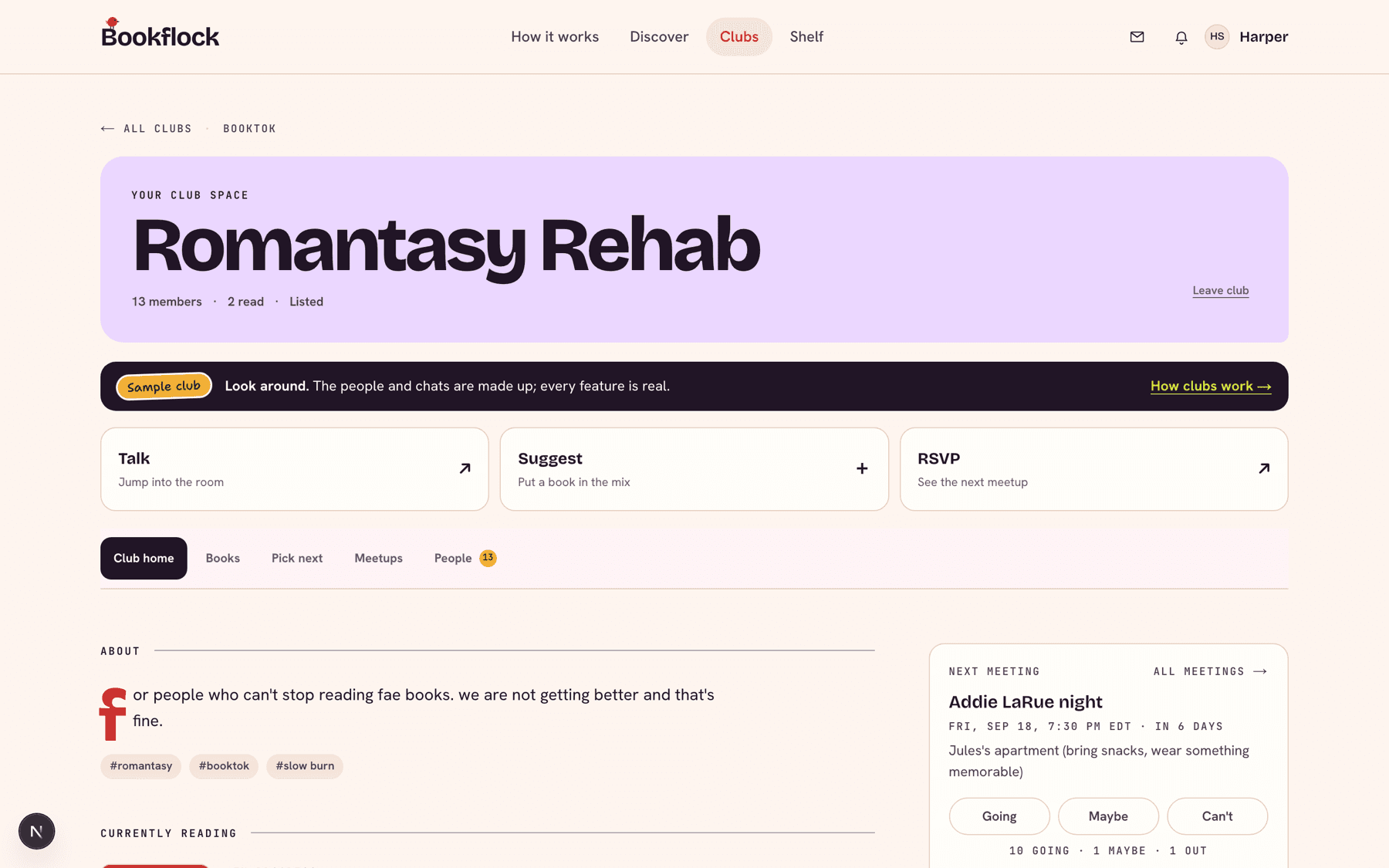
Make one for the group chat, your cousins, or the coworkers who keep recommending the same three books. Or join a public club that already reads your kind of thing.

  • Public, private, or invite-only. You decide who can see it and who gets in.
  • Approve join requests yourself, or send an invite link.
  • The club cover follows whatever you’re reading right now. Pin your own photo if you’d rather.
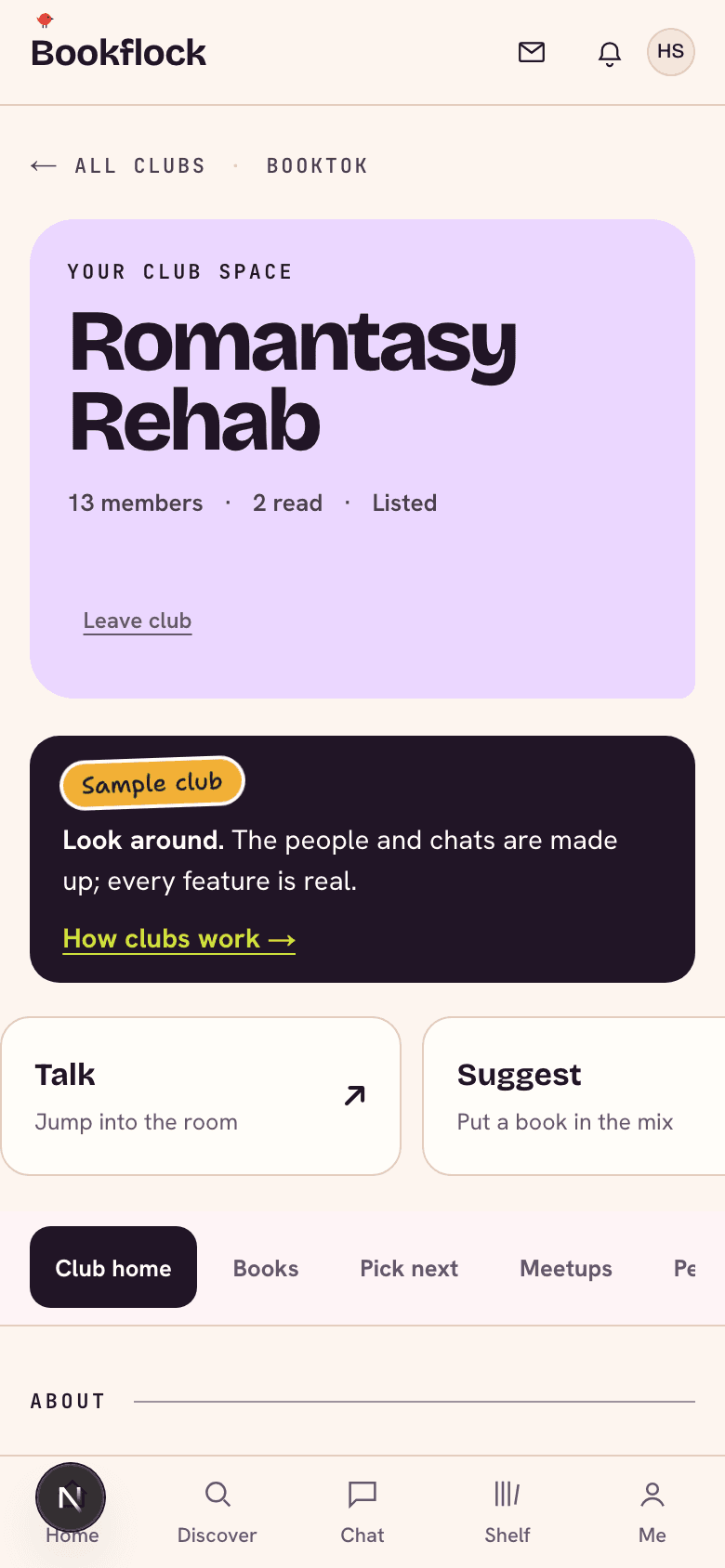
A sample club home page with the current read, reading pace, the next meetup, and recent chat.
cover = current readyour club’s whole world
The same sample club on a phone.
02Pick nextOpens at launch

Pick the next read without the 40-message debate

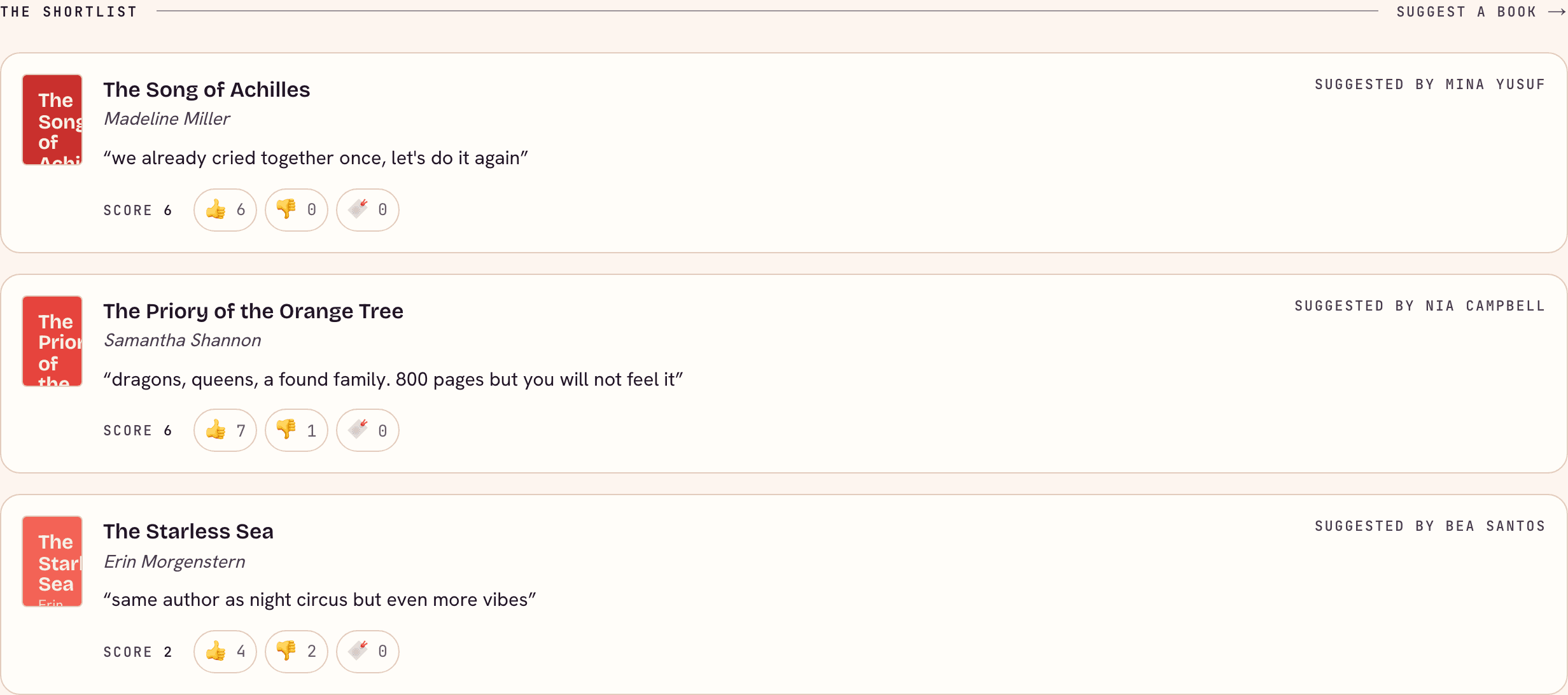
Everyone drops a pitch on the shortlist, the club reacts, and a vote settles it.

  • Suggest a book with a one-line pitch. Others upvote, downvote, or bookmark it.
  • Open a voting round with a deadline. Single pick or ranked choice.
  • Stuck? Get recommendations based on what your club has loved, and skip what it keeps DNFing.
The Pick next tab: a shortlist of pitched books with reactions and an open vote.
♥ on the shortlistvote closes Friday
03Keep paceOpens at launch

Keep pace with the meetup

Split the book into chapter goals. Everyone can see who’s on track, and nobody has to ask.

  • A reading schedule by chapter, with dates that land before the meeting.
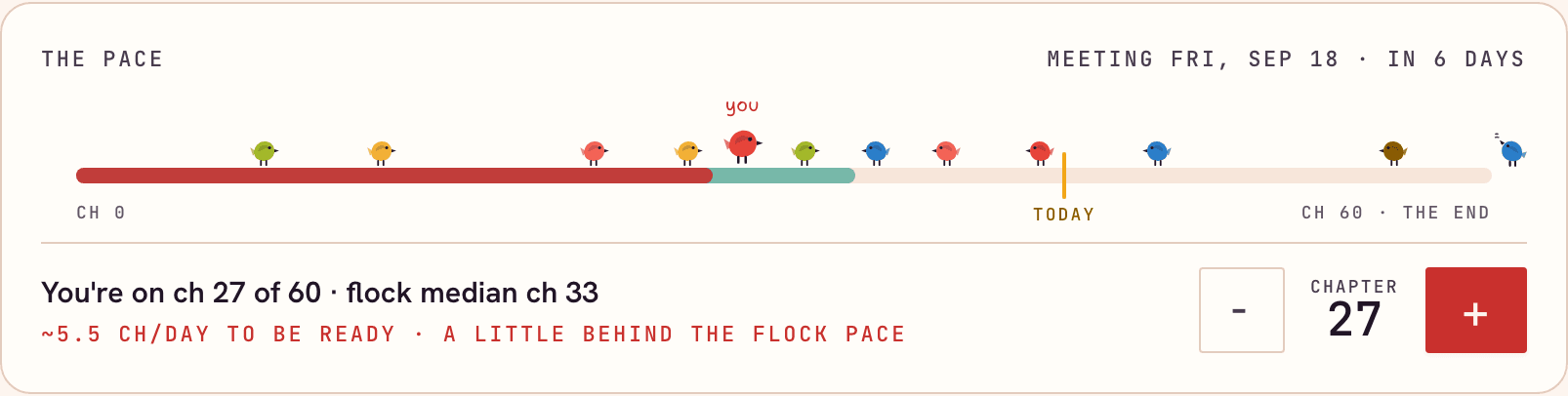
  • Update your chapter in one tap, and your bird hops along the wire.
  • The math is done for you: “about 3 chapters a day to be ready for Saturday.”
A pace card showing the club’s chapter progress against the meeting date, with members as birds on a wire.
8 of 12 on pacech. 14 ✓
04Talk it outOpens at launch

Talk about it without spoiling it

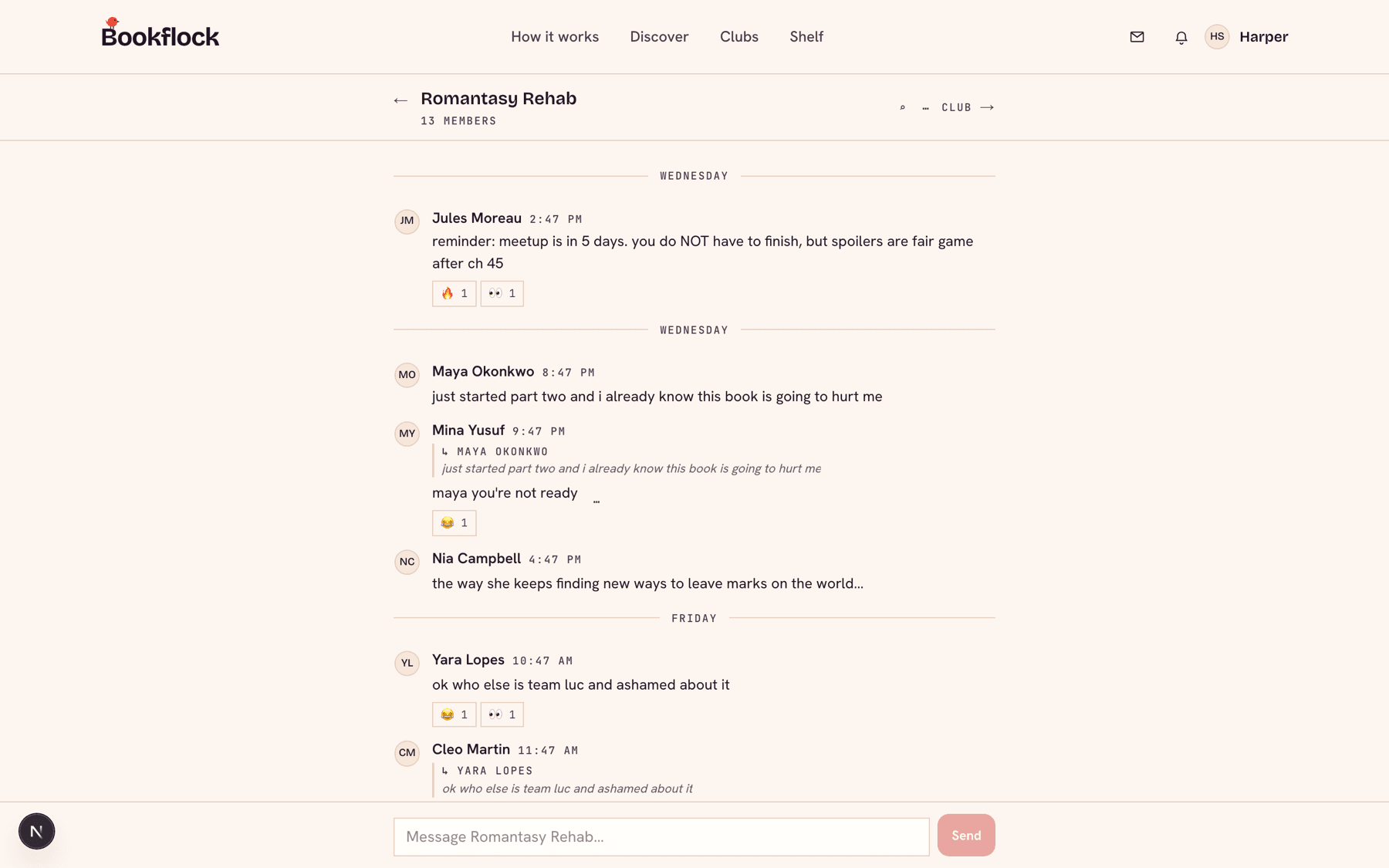
Every club has a chat room, and every book gets its own thread. Tag a message with a chapter and it stays covered for anyone who isn’t there yet.

  • Messages past your chapter show up as a spoiler until you catch up, or tap to peek on purpose.
  • React, reply, and @mention people.
  • Save a great line as a highlight so it doesn’t get buried in the scroll.
A book chat thread where a message tagged with a later chapter is hidden as a spoiler.
ch. 18: hidden for yousaved as a highlight
05Meet upOpens at launch

Actually get everyone in a room

Find a date that works, collect RSVPs, and show up with better questions than “so… did you like it?”

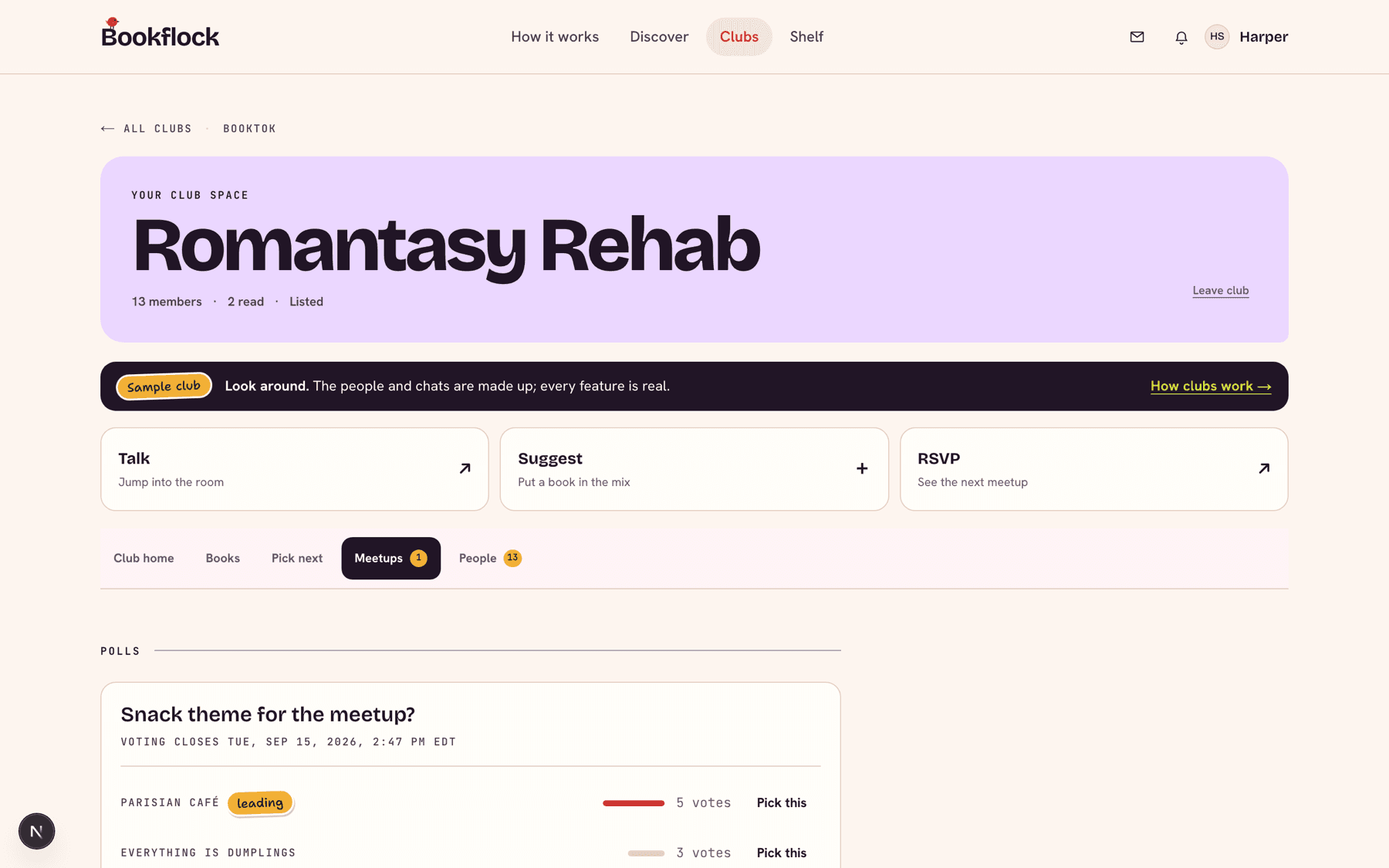
  • Date polls: everyone votes, and the winning time becomes the meeting.
  • One-tap RSVP, a reminder before it starts, and add-to-calendar.
  • Members suggest discussion questions and upvote the good ones. Hosts can pull up a meeting guide.
The Meetups tab with an upcoming meeting, RSVP counts, and a date poll.
Sat 7:30 · goingtop question
06Your shelfAvailable now

Your shelf, starting today

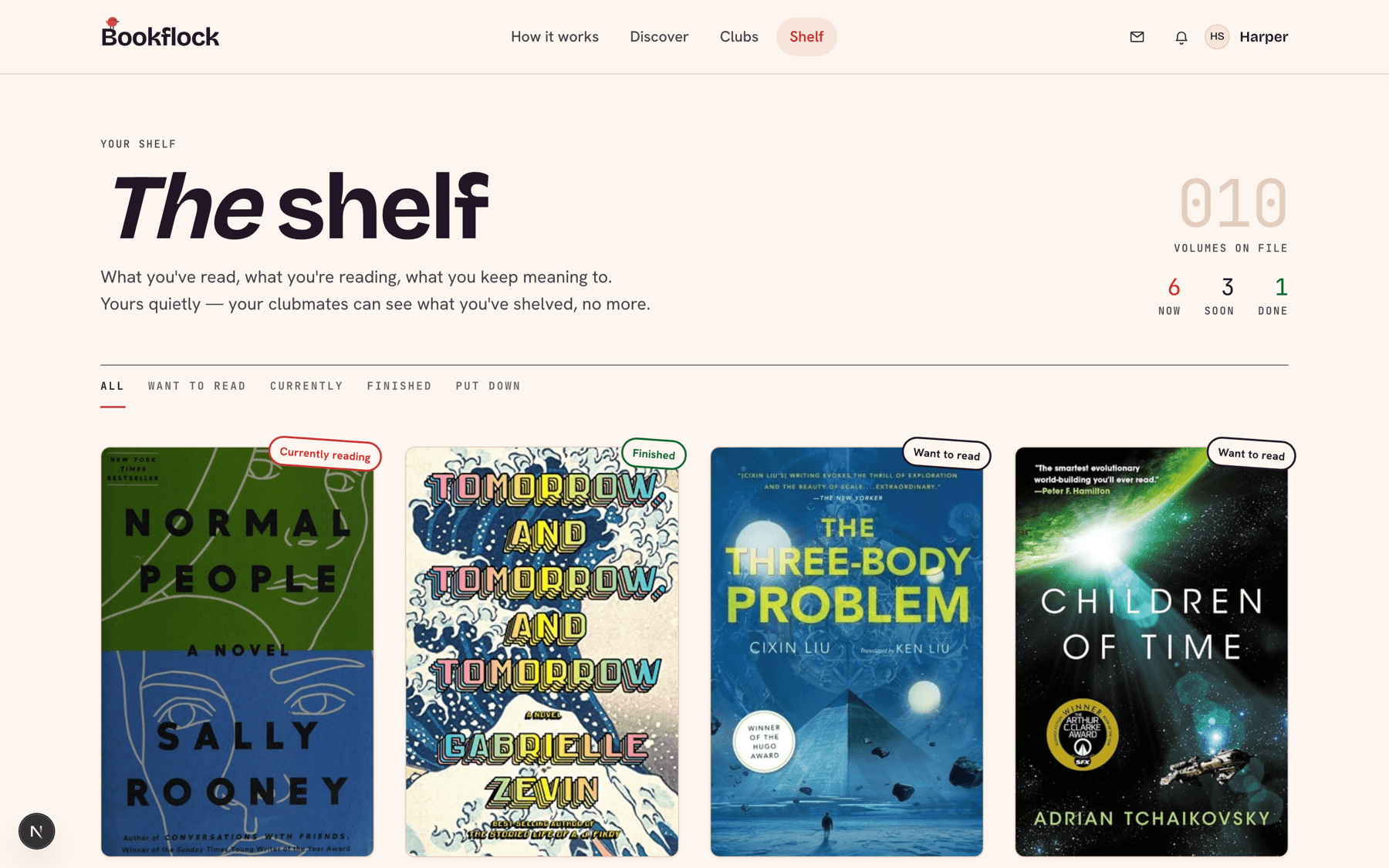
Save the books you want to read, are reading, finished, or gave up on. When clubs open, your want-to-read pile becomes your list of nominations.

  • Want to read, reading, read, and DNF.
  • Private notes on any book.
  • Bring a book from your shelf straight to a club’s shortlist.
A personal shelf of book covers sorted into want to read, reading, read, and DNF.
want to read → nominate later
07DiscoverAvailable now

See what people are actually reading

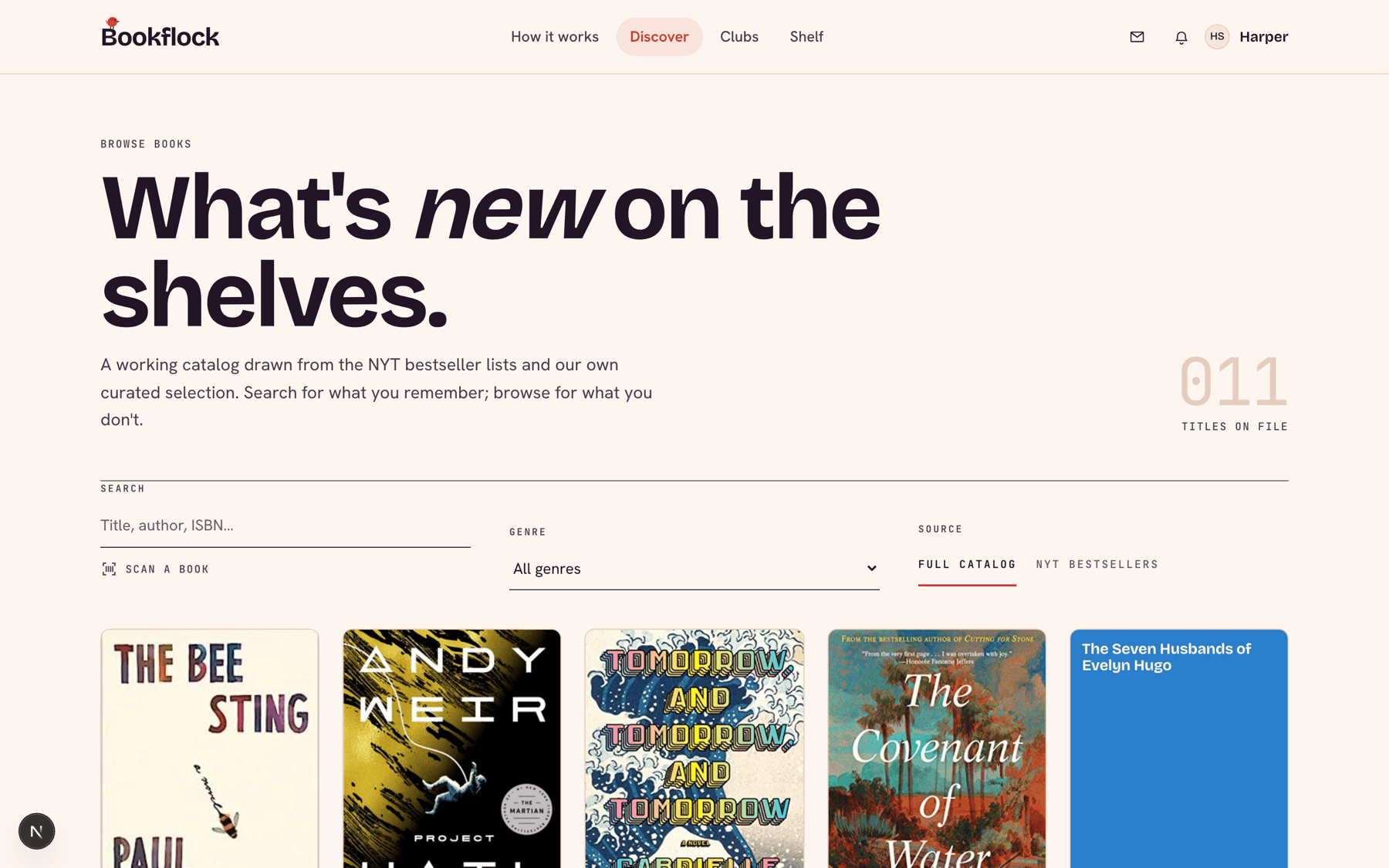
Discover pulls in the New York Times bestseller lists every week, plus the books blowing up on BookTok.

  • Current NYT lists: fiction, nonfiction, young adult, and middle grade.
  • BookTok trending, refreshed weekly.
  • Search any book and add it to your shelf.
The Discover page with a grid of bestseller covers marked with their NYT rank.
NYT #1 this weektrending on BookTok
08KeepsakeOpens at launch

Every book gets a keepsake

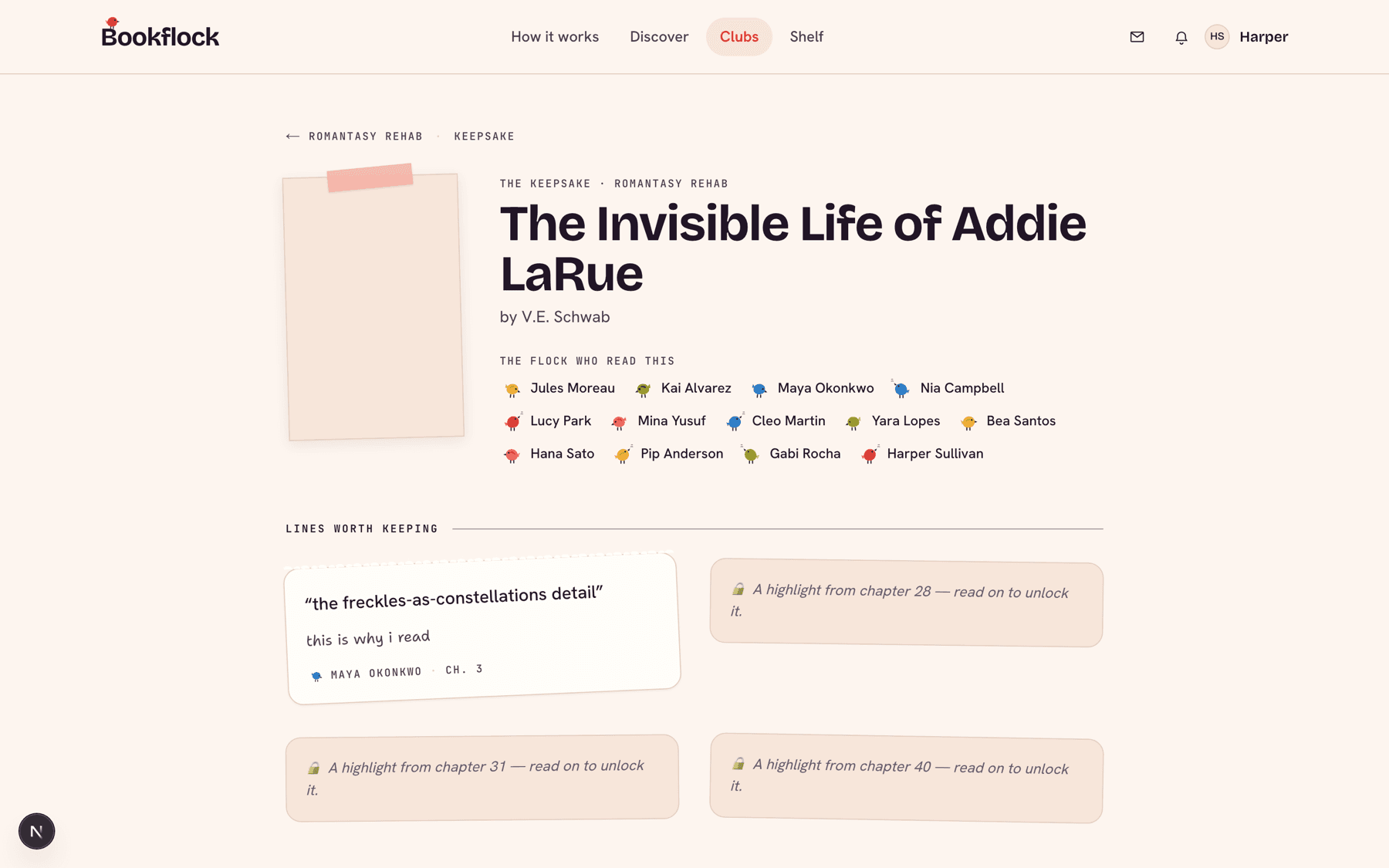
When the club finishes a book, its best moments turn into a scrapbook page you can come back to.

  • The lines people highlighted.
  • The questions that started the best arguments.
  • Everyone’s ratings, side by side.
A keepsake page collecting a club’s highlights, discussion questions, and ratings for one book.
saved foreverclub ratings

Questions

The stuff people ask first

Is Bookflock free?

Starting a club is free, and there are no ads. We’ll be upfront before launch about anything extra.

What does pre-launch mean?

We’re finishing the last pieces. Right now you can make an account, build your shelf, and browse Discover. Clubs, chat, meetups, and voting open at launch, and everyone on the list hears about it first.

Can I start my club now?

Not quite yet. Claim your username and start saving the books you want your club to read, so you’re ready to go on day one. In the meantime, look around the sample clubs to see how it works.

Do spoilers really stay hidden?

Yes. When someone tags a message with a chapter, it stays covered for anyone who hasn’t reached that chapter. Update your progress and it shows up. You can also tap to peek if you’re brave.

Is my club private?

Only if you want it to be. Clubs can be public, private, or invite-only, and private clubs keep their chat and members visible to members only.
Coming soon

Be there when clubs open.

Drop your email and we’ll tell you the minute you can start your club.

Launch news and the occasional sneak peek. Unsubscribe anytime.

Want in sooner? Create an account and start your shelf